This article outlines the new filters that have been added to date elements on transaction reports, used in the Estates module.
TABLE OF CONTENTS
Transaction Reports
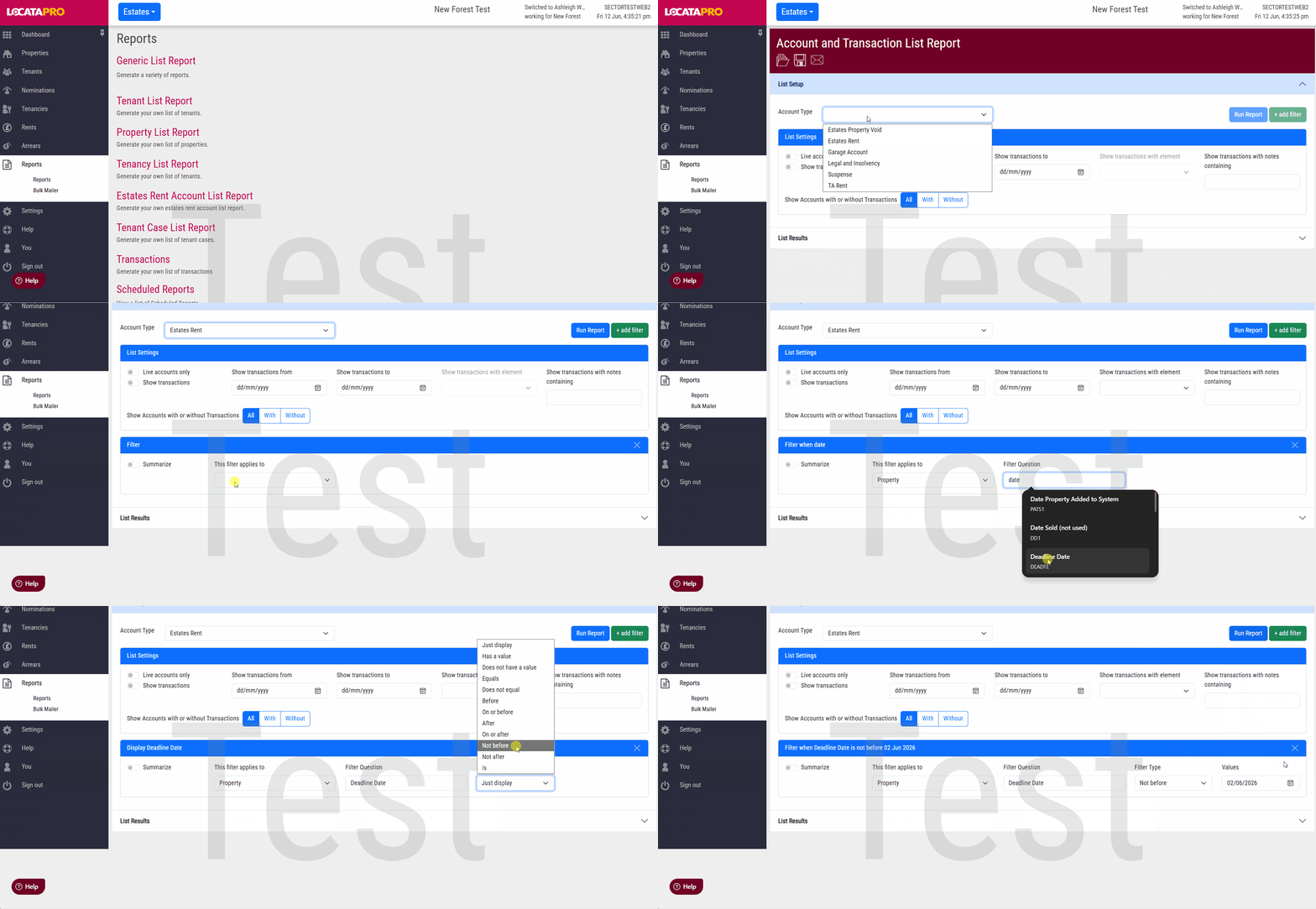
On the transaction list report, which is on the Estates module, there are two new date filters which only work on date elements. They are Not before and Not after.
- Go to Reports.
- Click Transactions.
- Input the report information and use a date element.
- Not before and Not after will show in the Filter Type dropdown.
- Then select a date.
- Click Run Report.
Was this article helpful?
That’s Great!
Thank you for your feedback
Sorry! We couldn't be helpful
Thank you for your feedback
Feedback sent
We appreciate your effort and will try to fix the article