This article will explain where to find and how to use the Clients in Temporary Accommodation Report in our HPA2 system.
TABLE OF CONTENTS
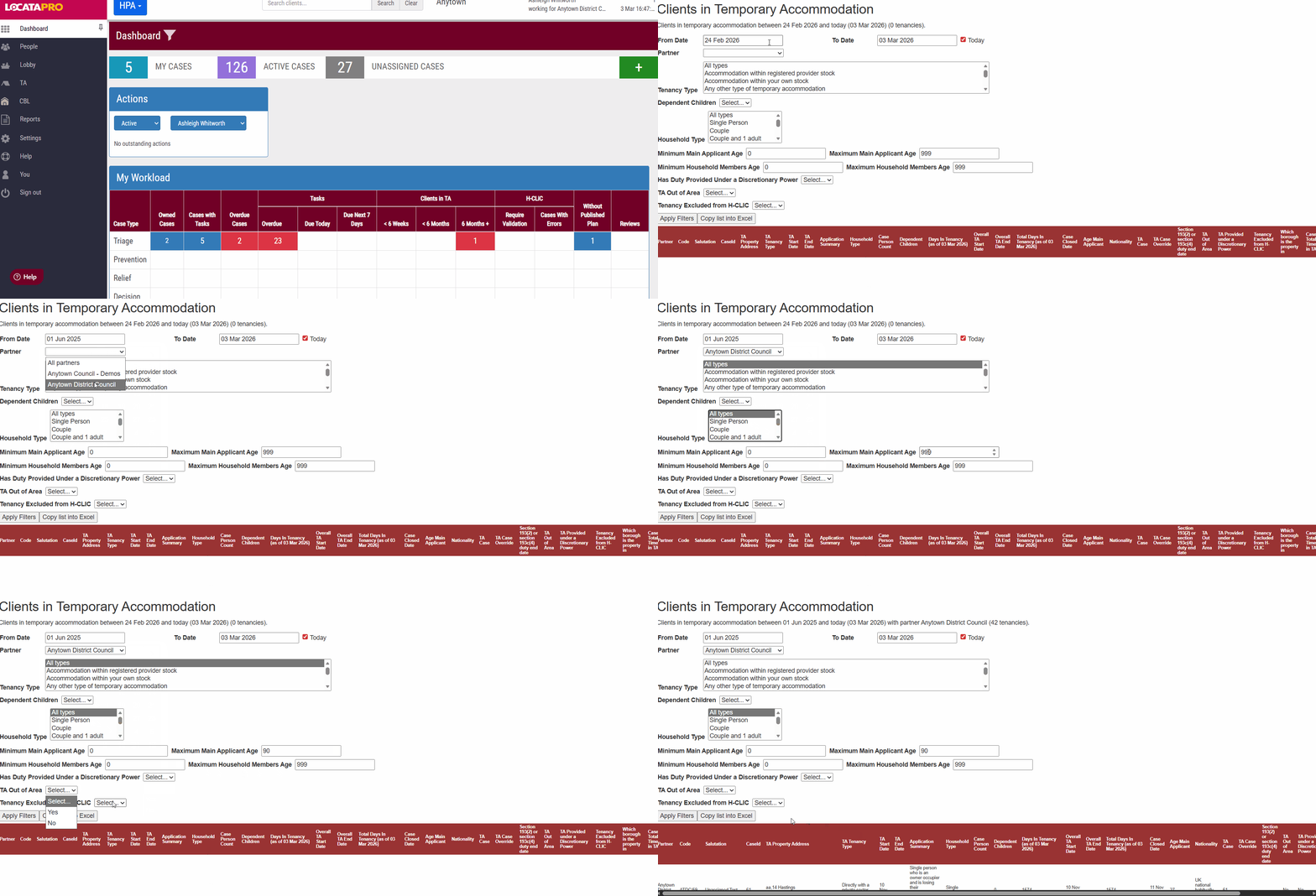
How to use the report
- Go to Reports
- Click Clients in Temporary Accommodation under Other Reports
- Enter the details, you can choose:
- The dates you'd like to search
- The partner the tenancies are under
- The type of tenancy
- Whether there are dependent children
- The household make up type
- The age ranges of the main applicant and household members
- Whether duty has been provided under a discretionary power
- If the TA is out of the area
- Whether the tenancy is excluded from HCLIC
4. Click Apply Filters. The results will show in the table below on screen. The number of tenancies will show on the line under the title.
Was this article helpful?
That’s Great!
Thank you for your feedback
Sorry! We couldn't be helpful
Thank you for your feedback
Feedback sent
We appreciate your effort and will try to fix the article