This article will explain the 56 day countdown when a case has an open Prevention or Relief Duty, and how to amend the due date if required.
TABLE OF CONTENTS
Prevention & Relief Duty 56 Day Countdown
If a case has an open Prevention or Relief duty then towards the top of the screen there will be a countdown graphic displayed which helps users to quickly see how many of the 56 days are remaining for the duty owed.
The countdown graphic starts from when the duty tasks are created, which may sometimes be several days after you begin the duty. It is not linked to the duty start date that is entered.
If the Prevention or Relief Duty tasks are re-added to the workflow, the countdown graphic will reset to 56 days from the current date.
In these circumstances you will need to manually amend the due date on the task.
In order to update the countdown please follow these steps:
- Click on the relevant duty task (Prevention Duty or Relief Duty)
- Click on the due date on the yellow bar
- Choose the correct date
- Click Update
- Refresh the screen
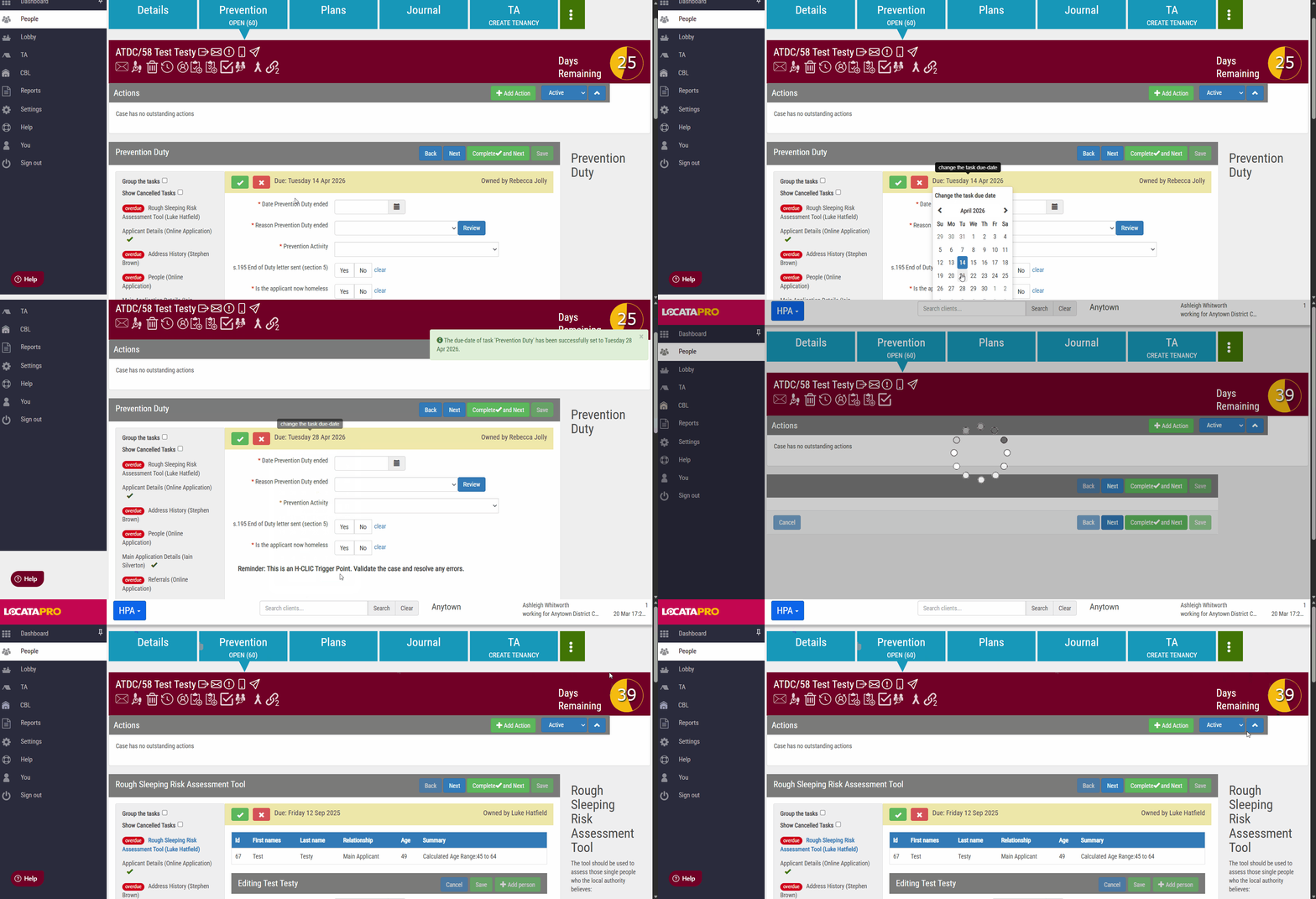
The countdown graphic will now be updated with the correct number of days showing.
You can also use this method to extend the Prevention and Relief Duties beyond the 56 days.
Note: A Relief duty should only be extended for up to a maximum of 15 working days if there are significant further investigations still to be completed.
Was this article helpful?
That’s Great!
Thank you for your feedback
Sorry! We couldn't be helpful
Thank you for your feedback
Feedback sent
We appreciate your effort and will try to fix the article