This article will explain System Emails, where to find them and how to filter and order the results.
TABLE OF CONTENTS
System Emails
This is where users can view emails that have been sent from the system. However it does not include emails generated by a user on the customer's communication log.
Some examples of System Emails are:
- Evidence upload receipt
- One time passcode (customer / officer)
- Customer password resets
- Case transfer notification
- Property alerts
Where to find System Emails
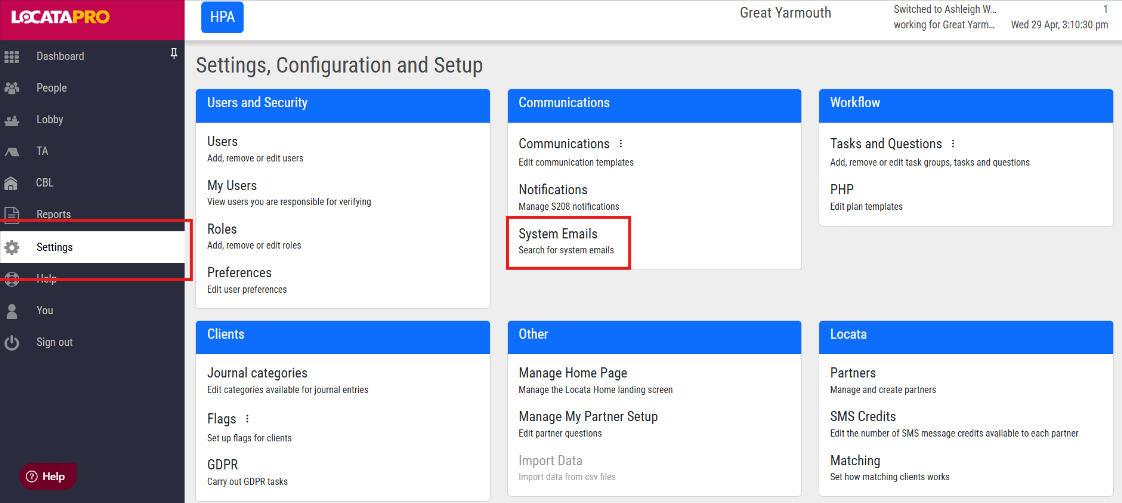
- Go to Settings
- Click System Emails in the Communications box
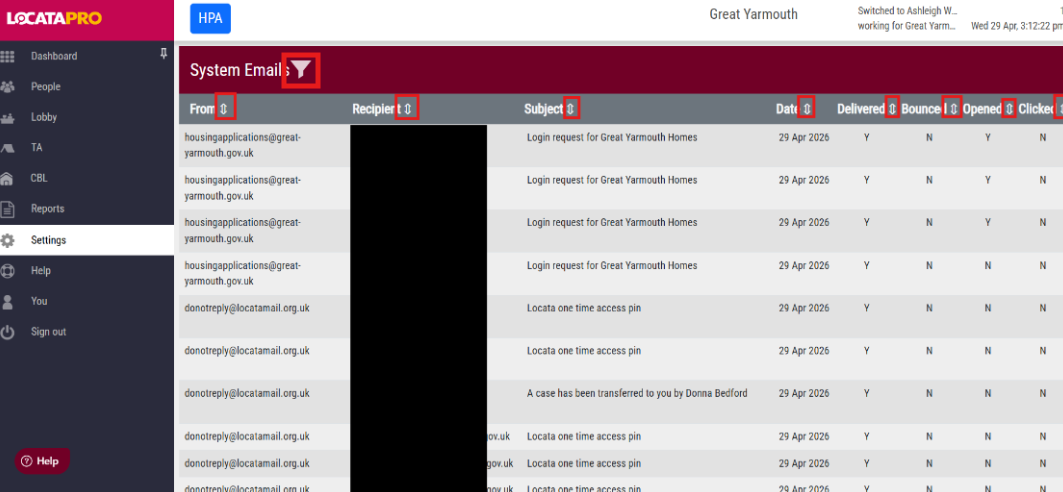
- You can order the results by clicking the arrows next to the titles. The titles include the email address the email was sent from, the email address of the recipient, the subject of the email, the date the email was sent, whether the email was delivered, whether the email was bounced, if the email has been opened by the recipient and whether the email has been clicked.
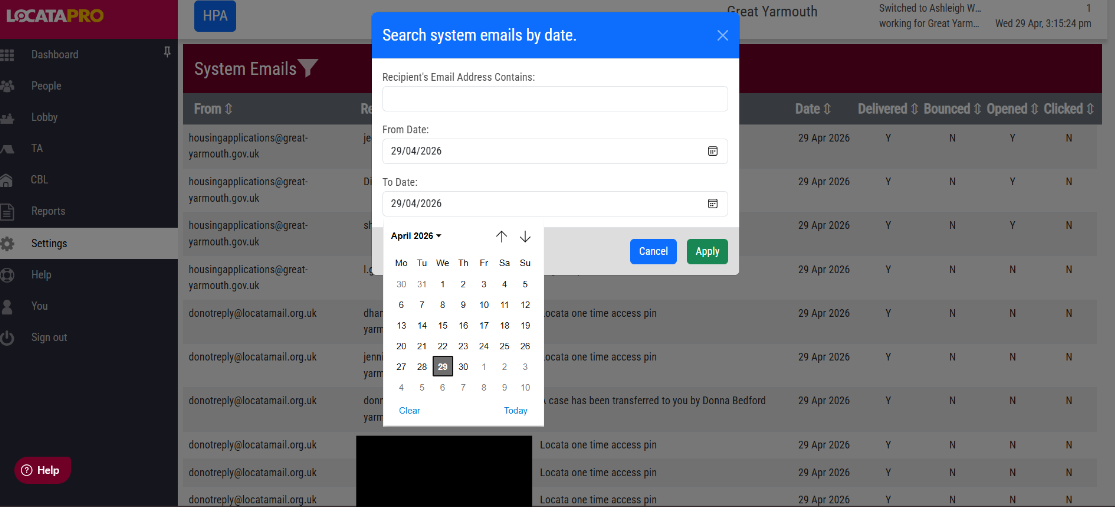
- Click the funnel next to System Emails to filter the results by dates or email addresses.
Was this article helpful?
That’s Great!
Thank you for your feedback
Sorry! We couldn't be helpful
Thank you for your feedback
Feedback sent
We appreciate your effort and will try to fix the article