This article explains how emails are sent to the task creator when the task is completed by the assigned user in the Locata system.
TABLE OF CONTENTS
- How Task Completion Emails Work
- Creating the Email Template
- Assigning a Task to Another User
- Completing the Task and Triggering the Email
- Setting Up a Task Completion Rule
- Summary of Email Behaviour
How Task Completion Emails Work
In Locata, an email is automatically sent to the user who originally created a task when the task is completed by an assigned user, on the condition it has been set up correctly.
This ensures task creators are informed as soon as work has been completed.
Creating the Email Template
Before task completion emails can be sent, an email template must be created and correctly configured.
Go to Settings.
Click Communications.
Click Create new email template.
Create the email template you wish to send on task completion.
Select Edit.
In the To dropdown, select Created By.
Select Save.
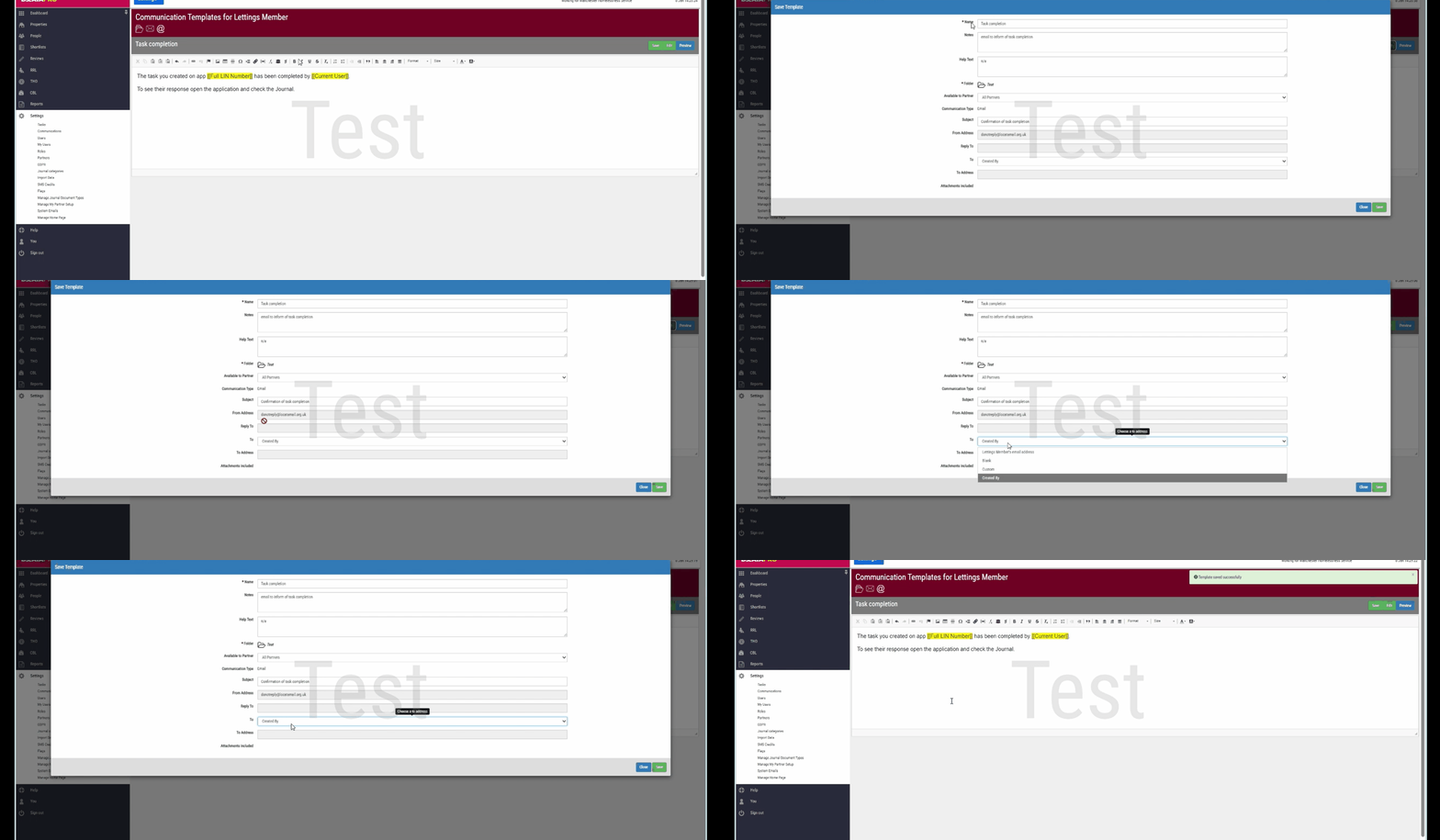
Note: Selecting Created By ensures the email is sent to the user who originally created the task.
Assigning a Task to Another User
Tasks can be assigned to another user to complete, while still ensuring the original task creator is notified upon completion.
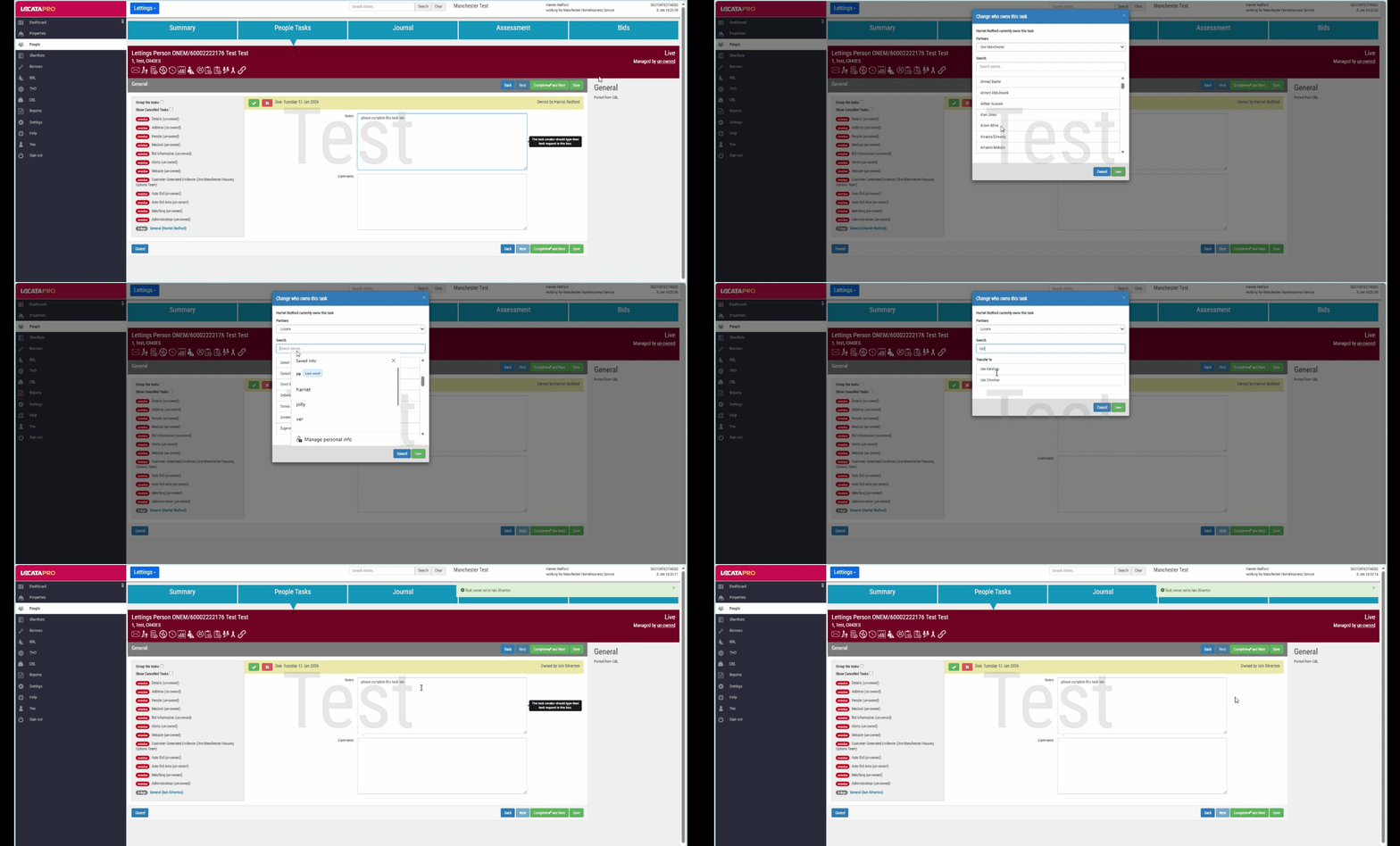
Open the relevant task.
Select Owned By.
Choose the user who you want to assign the task to.
Select Save.
The selected user can now complete the task.
Completing the Task and Triggering the Email
When the assigned user completes the task, an automatic email is sent to the task creator.
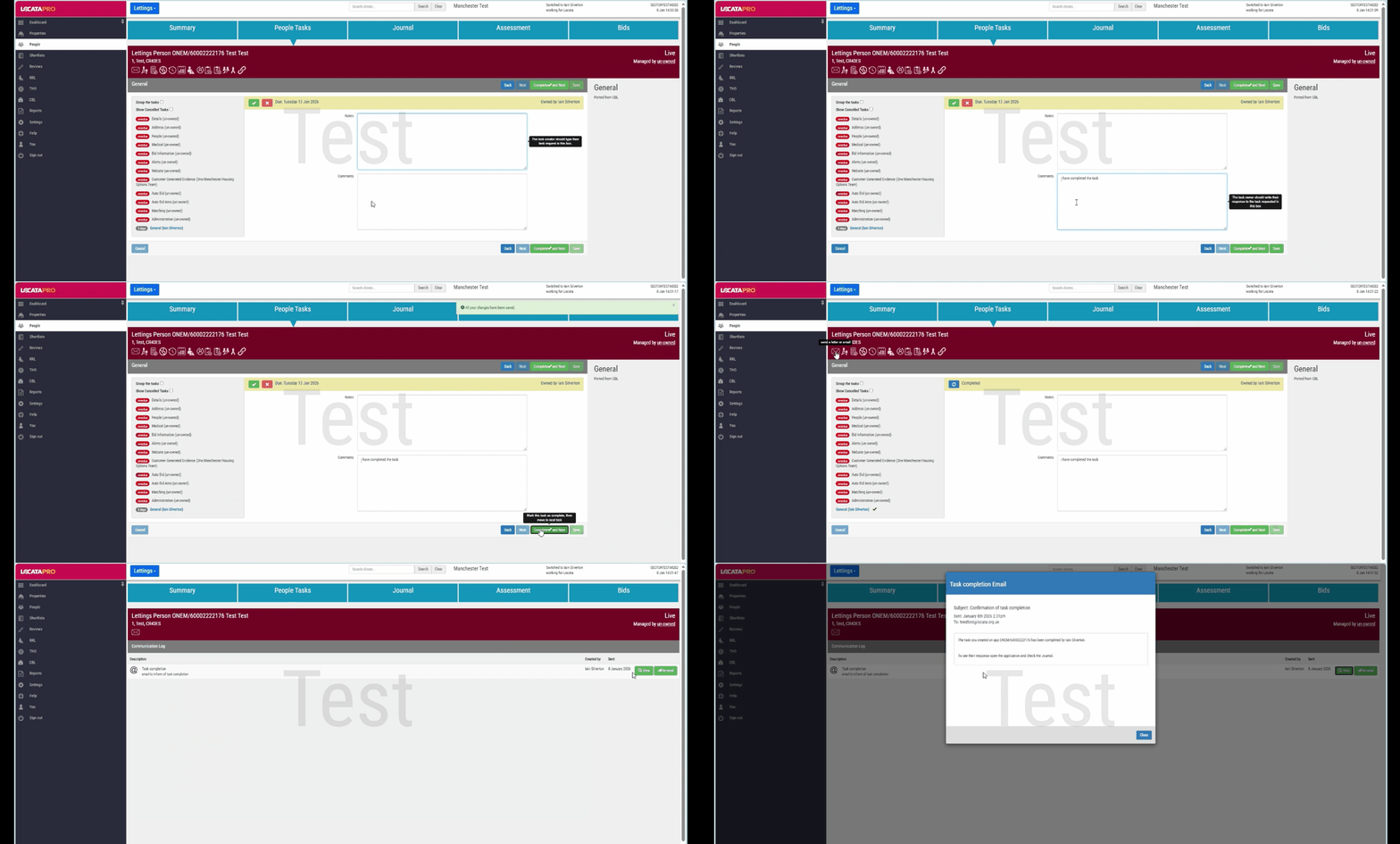
Complete the required task actions.
Select Save.
Select Complete and Next.
A confirmation pop-up will appear to confirm the correspondence has been sent.
You can confirm that the completion email has been sent by checking the communications log.
Setting Up a Task Completion Rule
Task completion emails are sent based on a completion rule, which must be configured for the task type.
Navigate to Settings.
Select Tasks.
Open the relevant task.
Create a Completion Rule to send correspondence.
Select the appropriate email template.
Select Save.
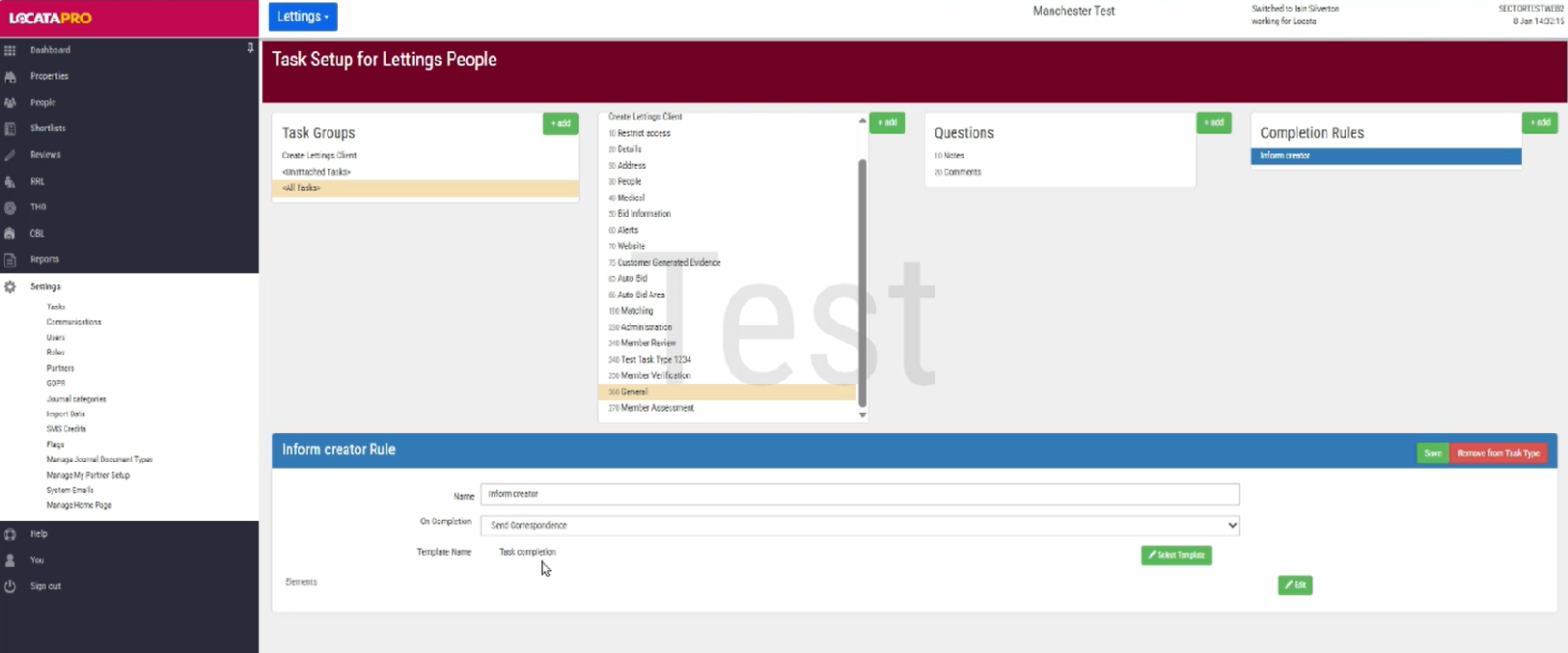
Note: If no completion rule is set, no email will be sent when the task is completed.
Summary of Email Behaviour
Emails are sent only when a task is completed, a completion rule is set up and Created by has been selected in the To dropdown on the template.
The email is sent to the user who created the task.
This functionality is available across all modules in the Locata system.
Did you know: Task completion emails remove the need to manually check progress or follow up with colleagues.
Was this article helpful?
That’s Great!
Thank you for your feedback
Sorry! We couldn't be helpful
Thank you for your feedback
Feedback sent
We appreciate your effort and will try to fix the article